Technology · 3D configurator
Real 3D, not an image sequence: how our configurator works
At Surprise for Business, companies design their promotional products on a real 3D model in the browser. The logo sits live on the surface, and the print approval is created from the same model. This page explains the technology and shows where it stands in the market.
At a glance
- WebGL in the browserRuns on computers, tablets and mobile phones without an app or plug-in (three.js).
- 8'500–33'000 trianglesper item: real 3D models, compressed to 0.2 to 2.3 MB.
- Logo on the surfaceThe uploaded artwork sits on the model via texture coordinates (UV) and follows its shape.
- PBR materialsPlastic, metal, anodised aluminium and fabric respond to the light as you turn the item.
- Approval from the modelEvery printed area face-on, with the position and size of the artwork in centimetres.
- One workflowDesign, approve, order and pay (card, TWINT, QR-bill) without switching between channels.
Real 3D and 360° view: the difference
In online retail, a lot of things are called ‘3D’ that are not. Two methods need to be told apart:
360° view (image sequence)
An item is photographed or pre-rendered from usually 24 to 72 angles. When you drag, the page shows these images one after another. The item only rotates around a fixed axis; views of the top and bottom, tilting or zooming in are only possible if separate images were made for them. A customer logo is usually laid over the photo as a flat image or distorted to fit the perspective.
Real-time 3D (our configurator)
The browser loads a model made of triangles into the graphics card and calculates every image afresh, around 60 times per second. You can turn the item all the way round, tilt it (for most items almost vertically from above and below) and zoom in, and the light and reflections move with it. Colour and logo are not images but properties of the model: a change of colour or a new logo is visible immediately on every side of the item.
Where the 3D models come from
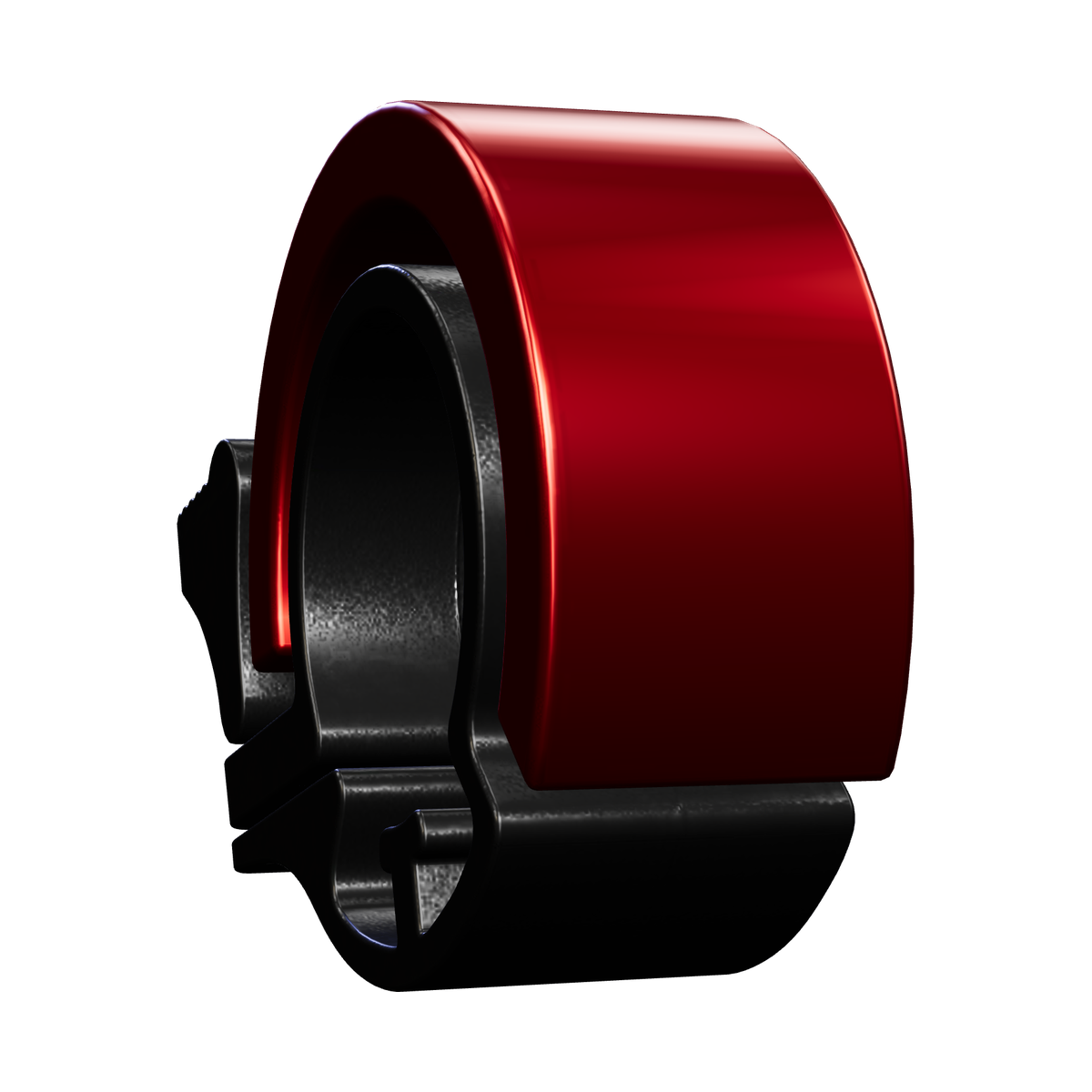
All 3D models come from our own production. We build them from the original items and their dimensions and divide them into their parts: for the lighter, for example, the body, cap and spark wheel; for the bicycle bell, the ring, clamp and lever. This means every part can be coloured individually, and every material behaves in the light as it does on the real item.
The models are prepared for the web: as few triangles as necessary, with compressed geometry (glTF with KHR_mesh_quantization). Until the 3D has loaded, the page shows a still image rendered from the same model.
Try it on any item: custom Hultafors folding rule, custom BIC lighters, PP tote bags with logo, mini fender keyring and laser-engraved bicycle bell.
How the logo gets onto the item
- Upload: SVG, PDF, AI, EPS, JPG or PNG. The shop cuts out the artwork and vectorises it on request.
- Onto the print area: Every printable area has its own print canvas. It sits on the surface of the model via texture coordinates (UV mapping), which is why the logo follows the curve of a lighter or the ring of a bell. Position, size and rotation can be adjusted, and the preview shows the result on the item straight away.
- Colours: Print colours are chosen as Pantone colours. The bell is laser-engraved rather than printed: the engraving appears as it will actually turn out, as bare aluminium.
- Several areas: Lighters have a front and a back, PP tote bags have five sides. Each one is designed and approved separately.
Light and material
The materials are physically based (PBR): roughness, metalness and a clear-coat layer determine how a surface reflects light. A studio environment provides the reflections, while several light sources and soft shadows bring out the shape. Matt plastic, glossy metal and anodised aluminium therefore look different and change as you turn the item.
Please note: every screen displays colours slightly differently. The 3D preview shows the shape, position, size and impression of the colour; the chosen Pantone colour is what is binding for printing.
From preview to print approval
Traditionally, a ‘print approval’ comes about like this: a designer builds a mock-up in image-editing software and sends it by email, the customer makes corrections, and the mock-up goes back and forth again. With us, the print approval is created directly from the 3D model: for each printed area the shop renders a face-on view and adds the file, the number of colours, and the position and size of the artwork in centimetres. The customer approves it digitally and orders in the same workflow.
This considerably shortens the back-and-forth, but it does not replace care: every approval is also checked by hand before production, at no extra cost.
Comparison
| Feature | 360° view (image sequence) | Real-time 3D at Surprise for Business |
|---|---|---|
| Rotation | Around a fixed axis, in as many steps as there are images | All the way round and continuously, with tilt and zoom |
| Logo | Flat image over the photo or distorted to fit the perspective | On the surface of the model (UV mapping), on every area |
| Light and material | Fixed in the photo | Calculated live (PBR), highlights move with the item |
| Colour variants | A separate image sequence for each colour | One model, colour switched live |
| Data volume | Dozens of images per view and colour | One model of 0.2 to 2.3 MB, loaded once |
| Print approval | Usually created separately and agreed by email | Generated from the model, approved digitally, ordered in the same workflow |
Where this stands in the market
In October 2026 we looked at Swiss and European providers. The result, as honestly as we can put it:
- Most Swiss promotional product shops show the logo on product photos, either laid flat on top or distorted to fit the perspective. Some offer 2D configurators or pre-rendered views.
- Some brand manufacturers, for example of pocket knives and writing instruments, already show their own products in interactive 3D with a logo. In Europe, software companies also sell such 3D previews to retailers.
- We did not come across a Swiss promotional product shop with items from several brands that combines real-time 3D and a live logo directly with ordering and an automatically generated print approval.
Frequently asked questions
Does the 3D configurator need an app or a plug-in?
No. It runs in any up-to-date browser on computers, tablets and mobile phones. The 3D display uses WebGL, which is built into all common browsers.
What is the difference between real 3D and a 360° view?
A 360° view is a sequence of usually 24 to 72 photos or images; the item only rotates around a fixed axis, and a logo usually sits on top as a flat image. Real 3D is a model made of triangles: you can turn it all the way round, tilt it and zoom in, and the logo sits on the curved surface.
Are the colours on screen binding?
No. Every screen displays colours slightly differently. The chosen Pantone colour is binding; the 3D preview shows the shape, position and size of the logo as well as the impression of the colour.
How accurate is the position of the logo?
For every printed area, the print approval states the position and size of the artwork in centimetres. Before production, a person also checks every approval, at no extra cost.
What happens if a device cannot display 3D?
The page then shows still images rendered from the same 3D models, and you can still design and order.
As of 11 October 2026 · Surprise for Business, Bottighofen